
The California State University, Fullerton provides each student with an Office 365 Outlook email account (CSUF Email) and access to a suite of services, Titan Apps, provided by Google (G-Suite such as Google Docs, Google Drive). You can access your email and your Titan Apps by logging in to your CSUF Portal account.
There 3 ways to access Outlook on the web which we will cover below;
- Access using your portal
- Access using Login to Email page
- Access using Microsoft’s Outlook login page
Table of Contents
- Access csuf email using your portal
- Access using “login to email” page
- Access using Microsoft’s Outlook login page
- How to access your CSUF google account
- How to set up Csuf email on Iphone
- FAQs
- What is my Csuf email address?
- How do I log into my Csuf email?
- How do I access my google account through csuf campus portal?
Access csuf email using your portal
- Log in to your campus portal.
- Click on the Student email icon at the top right of the Portal homepage.
- Enter your CSUF Portal username and password. Then click Sign In.
- Based on your preferences, select Yes or No on the Microsoft sign-in screen.
- If this is the first time you are accessing your student email, you will be prompted to select your language and time zone.
- Click “Save”. You’re done!
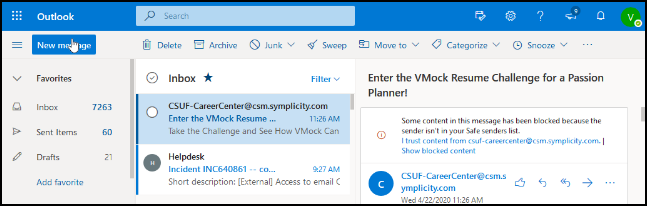
Check out: CSUF academic calendar important dates.
Access using “login to email” page
- Open email.fullerton.edu/ in your web browser
- Click on Email Login under Student Login.
- Enter your CSUF Portal username and password. Then click Sign In.
- Based on your preferences, select Yes or No on the Microsoft sign-in screen.
- You’re now logged in to your CSUF email account.
Access using Microsoft’s Outlook login page
- Open a web browser to Microsoft’s Outlook login page.
- Enter your campus email address, e.g. yourusername@csu.fullerton.edu Then click Next.
- Enter your CSUF Portal username and password. Then click Sign In.
- Based on your preferences, select Yes or No on the Microsoft sign-in screen.
- You’re done.
How to access your CSUF google account
- Open any Google app and click “Sign In”
- Enter your campus email address. Then click Next.
- Enter your campus username and password on the Titan Apps sign-in screen. Then click Sign In.
- Click Continue if prompted to verify it’s your account. If you have set up two-step verification with Google for your CSUF Google account, you may be prompted to verify your account using a second method such as a text message.
- You’re logged into your CSUF Google account!
How to set up Csuf email on Iphone
- From the iPad home screen, tap Settings to open the Settings app. Tap on Mail, Contacts, Calendars, then tap on Add Account… to add your Fullerton email account.
- Tap on Microsoft Exchange to begin setup.
- Enter your email address (including the @exchange.fullerton.edu), username, password, and a description. Enter ad into the Domain field. Tap Next.
- An additional field will appear named Server. Enter campusmail.fullerton.edu as the server. Then tap Next.
- Turn on the switches desired for Mail, Contacts, and Calendars. You can also change the Mail Days to Sync to your desired time.
- Tap Done and your email is now setup. For further assistance, contact the Help Desk at 657-278-7777.
FAQs
What is my Csuf email address?
Your username associated with your CSUF account is your csuf email adress (username@csu.fullerton.edu).
How do I log into my Csuf email?
Enter your student email address (i.e. tuffy@csu.fullerton.edu). You will be redirected to the Titan Apps page. Sign in with your Portal username and password. The username is first part of your email before the @csu.fullerton.edu.
How do I access my google account through csuf campus portal?
Log in to the campus portal. Type Titan Apps in the portal app search box on the left of the portal homepage. Then select Titan Apps. Next, select the Google App you want to use.


