
EagleConnect is the official UNT email system for students, applicants, and alumni based on Microsoft Outlook.
As a student or applicant of the University of North Texas, you should regularly check your Eagle Connect email to view important communications from the Office of the Registrar, Financial Aid, libraries, student accounting, UNT Academic Calendar, advisors, and others.
You also may receive communication through the UNT Canvas Learning Management System, a separate system, so do not risk missing official communication from the university.
Your EagleConnect email address is firstlast@my.unt.edu. It can be found by logging into the Account Management System, AMS. It is listed in the “Student E-Mail” field. Your password is the same as the one used for all UNT systems.
The UNT email account can be accessed through the web, a PC/Mac, or mobile platforms.
Table of Contents
- How to log into unt eagleconnect
- How to set up eagleconnect on your android device
- How to set up eagleConnect on your iPhone
- How to reset your eagle connect password
- Features of unt email
How to log into unt eagleconnect
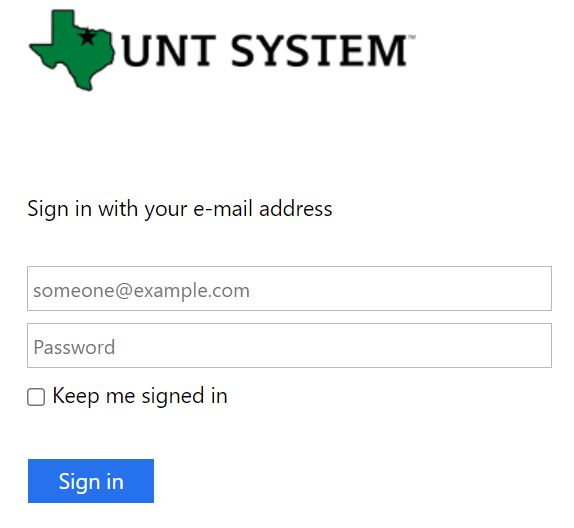
To access your UNT email via the web,
- Navigate to outlook.com/my.unt.edu on your web browser.
- Enter your UNT student email address.
- Enter your password.
- Then, click on the blue “Sign in” button to access your email.
How to set up eagleconnect on your android device
You can easily configure your Android Phone to check your Eagle Connect using Microsoft® Exchange ActiveSync.
The interface may change depending on your phone manufacturer and Android version.
- Open Settings on your device, go to Accounts, and select Add.
- Select Microsoft Exchange, Exchange, or ActiveSync.
- Email address: Your EagleConnect email address (firstlast@my.unt.edu)
- Server address: outlook.office365.com
- DomainUsername: Your EagleConnect email address (firstlast@my.unt.edu)
- -OR-
- Domain: Leave blank
- Username: Your EagleConnect email address (firstlast@my.unt.edu)
- Password: Your EagleConnect password
- Check: “This server requires an encrypted SSL connection.”
- If you are asked to accept a security certificate choose Continue
- If successful you will be asked what data you would like to synchronize. By default Mail, Contacts, and Calendar are selected.
- Choose: Next
- Account Name: Name the account and choose Finish
How to set up eagleConnect on your iPhone
These instructions should work for the iPhone as well as other Apple devices with exchange support such as the iPad.
- On your iPhone select Settings, then choose Mail (on older versions of iOS, choose Accounts & Passwords).
- Choose Accounts, then Add Account.
- On the Add Account screen, select Microsoft Exchange or Exchange.
- Enter your account information: Email: Your EagleConnect email address (firstlast@my.unt.edu). Password: Your EagleConnect password.
- Microsoft Exchange will attempt to detect and automatically fill in the rest of your settings. If this fails you will be asked to fill in additional information:
- Email: Your EagleConnect email address: firstlast@my.unt.edu.
- Server: outlook.office365.com.
- Domain: Leave blank.
- Username: Your EagleConnect email address: firstlast@my.unt.edu.
- Password: Your EagleConnect email password should not require changes.
- Click Done, then you will be prompted to select the parts of your account to synchronize (Mail, Contacts, and/or Calendar), then select Sync to finish.
How to reset your eagle connect password
If you can’t log in or you have forgotten your eagle connect password, it can be reset by following the instruction below;
- Click on the “Forgot your EUID or password?” link that is found below the “Login” button at myUNT.
- You will be asked for your name.
- Enter your date of birth.
- Enter your Social Security number in order to proceed.
- Make sure that the information you enter is the exact same information as it appears on your application, transcript, or employee record, otherwise, AMS may not find your account.
- You also will be asked to answer a security question that was set up at the time of your account creation.
- Your new password cannot be a previously-used password and must meet the following criteria.
- Must be at least eight characters, but no more than 30 characters
- Must contain at least one capital letter, at least one lowercase, and at least one numeral character
- Must NOT contain a backslash (\).
Features of unt email
Current student EagleConnect email features include the following.
- 1000 GB of storage shared with mailbox and OneDrive.
- Free MS® Office Web Apps and Office 365 ProPlus.
- Antivirus and anti-spam protection with automatic encryption.
- Shared address book and calendar information.
- Support for 25 languages.
- Teams Chat.


