
Aris 3 Udsm:
Aris 3 udsm is a comprehensive academic management platform that aims to simplify academic processes for students, faculty, and administrative staff at university of dar es salaam. Its key feature is the inclusion of tools for course registration, results management, and academic record tracking.
It plays a critical role in enhancing academic management and operational efficiency within the University of Dar es Salaam.
It serves as a cornerstone for various academic processes, from student registration to academic record tracking and financial management.
Hence, it facilitates a smooth integration of data across various university departments, ensuring a cohesive and unified operational approach where by:
- For students, ARIS 3 offers simplified course registration, easier access to Semester Exam Results, Payment & Fees and improved communication channels.
- For faculty members, ARIS 3 offers powerful tools for managing courses, assessing students, and keeping academic records. This collaboration enhances the educational experience, upholds academic integrity, and optimizes resource allocation.
Therefore, ARIS 3 is considered an essential tool in the academic ecosystem of the University of Dar es Salaam.
Features Of Aris 3 Udsm:
Students can conveniently make online payments anytime using ARIS 3 UDSM. They can also request a control number for various administrative tasks and access academic year results. The system supports mobile money payment options like M-Pesa, Airtel Money, and Tigo Pesa, ensuring successful completion of administrative tasks, including registration and payments.
How To Create The Aris 3 Udsm Account:
If you’ve been accepted into the University of Dar es Salaam (UDSM), creating a ARIS 3.0 account is an essential step in accessing the various features and resources available on the platform.
The procedure for setting up an ARIS 3 account is very simple. Thus, to guide you through this process, we have created a detailed, step-by-step guide to help you initiate your ARIS 3.0 account as shown below.
Step 1: Visit The Aris 3 Udsm Website: Https://Aris3.Udsm.Ac.Tz/.
Go to the ARIS 3 UDSM website and click the signup button and you will be redirected to the account creation page.

Step 2: Enter Profile Information.
Select account type, enter your Student Registration number, and fill in all the required fields under Profile Information. This includes your First Name, Middle Name, and Last Name.
Step 3: Enter Your Credentials.
Create a unique username for your ARIS 3 account. This will be used for logging in to the platform. Create a strong password and repeat it for confirmation.

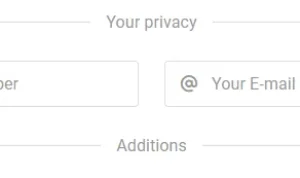
Step 4: Your Privacy.
Enter your Mobile Number and E-mail address. This information will be used for account verification and communication purposes.
Step 5: Add Additional Information.
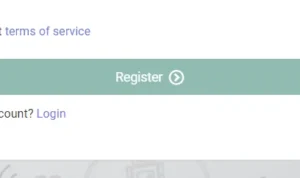
Check the box to accept the terms of service. If you already have an account, you can simply click on the Login option.
Step 6: Complete the Registration Process.
After filling in all the required details, click on the “Register” or “Create Account” button to complete the registration process.
Congratulations! You have successfully created an ARIS 3 UDSM account.
How To Login To Aris 3 Udsm Account:
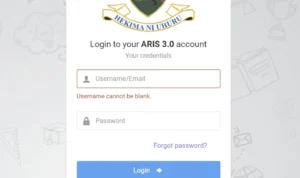
To login to your ARIS 3.0 account, you will need your username/email and password.
Step 1: Go To The Aris 3 Udsm Login Page.
First, open your web browser and go to the official ARIS 3.0 login page by clicking at https://aris3.udsm.ac.tz/.
Step 2: Enter your username/email.
Once you are on the login page, you will see two empty fields for your username/email and password. Enter your username or email address in the appropriate field. It is important to note that the username field cannot be left blank.
Step 3: Enter your password.
Next, enter your password in the password field. If you have forgotten your password, you can click on the “Forgot password?” link to reset it. Follow the instructions provided to reset your password and regain access to your account.
Step 4: Click on the login button.
After entering your username/email and password, click on the login button.
Conclusion:
To make the most of your ARIS 3 UDSM account, it’s important to understand its features and the benefits it provides to students. By following the steps to create an account and setting up a strong password, you can ensure the security of your account. Navigating through the login page is easy once you locate it and enter your username or email along with the password. In case you forget your password, there are steps you can take to recover it. If you encounter any other common login problems, troubleshooting tips are available to help you out.


